> For the complete documentation index, see [llms.txt](https://local.docs.ssaudit.com/llms.txt). Markdown versions of documentation pages are available by appending `.md` to page URLs; this page is available as [Markdown](https://local.docs.ssaudit.com/english-1/costing-method/7.6-costing.md).
# 7.6 Costing
## COSTING:
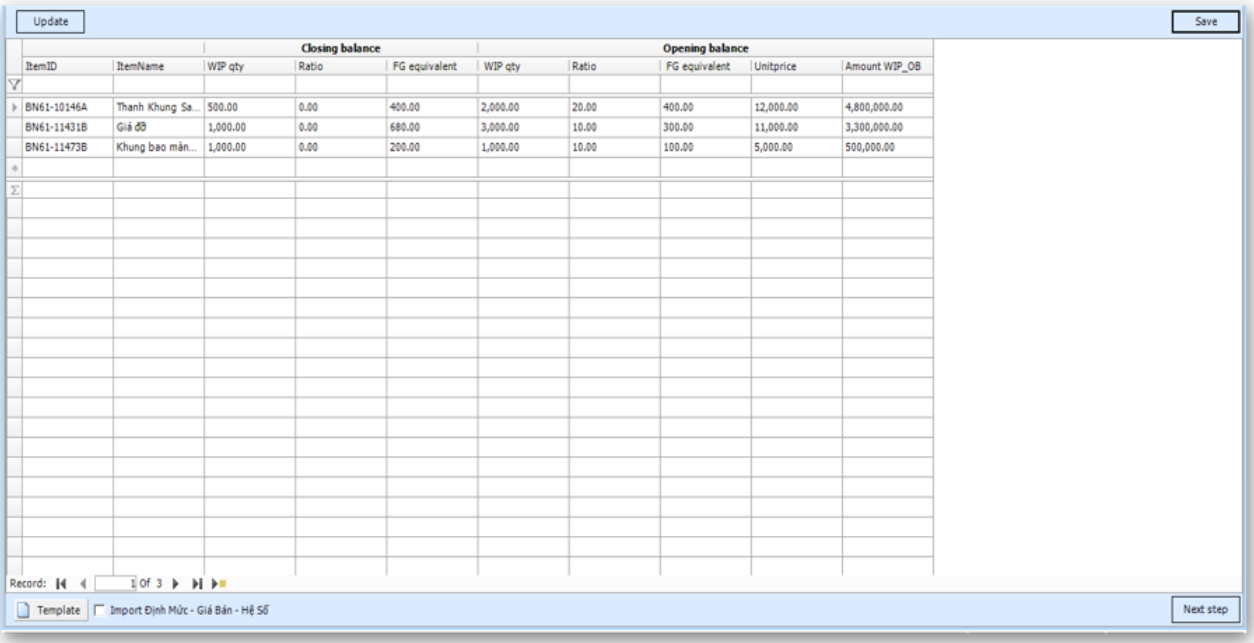
#### **a) Input quantity Work in progress closing balance and rate equivalent (if any)**
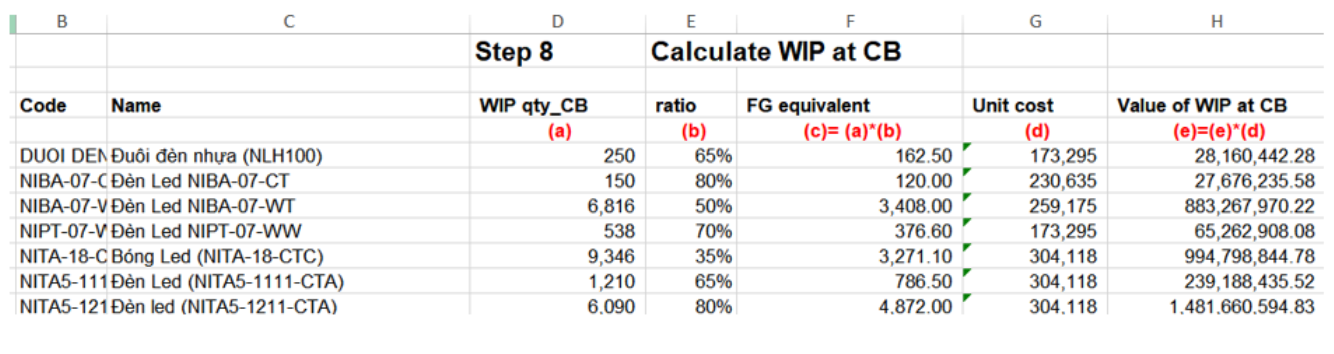
From Inventory config menu choose Calculator qty 154 for each product:
From date – To date: Time to apply
ProductID: Product ID work in progress closing balance
154Qty: Quantity of work in progress closing balance
621Rate, 622Rate, 627Rate: rate equivalent for each group expense 621,622,627
154EndAmt: Amount of Work in progress will be automatic update after costing finish.
621EndAmt, 622EndAmt, 627EndAmt: Amount of each group expense 621,622,627 also automatic update after costing finish.
#### b) Costing
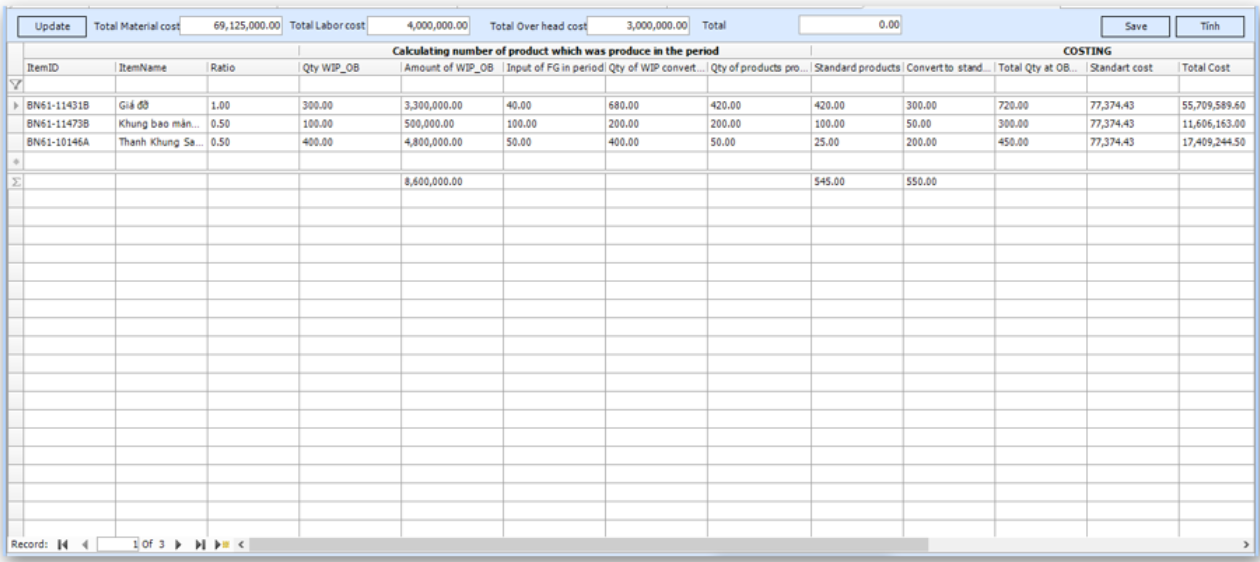
### Step 1: Calculate quantity finishgood input and work in progress
ProductID: Finish good ID
FGQty: Quantity of Finish Goods
154Qty: Quantity of work in progress closing balance (input before costing)
621Qty, 622Qty, 627Qty (quantity working in progress) = 154Qty multiplication with 621Rate, 622Rate, 627Rate
FromDate – Todate: Time apply
GroupID
PhaseID
### Step 2: Calculate total quantity of finished goods for each Group:
Base on quantity finished goods from step 1.1, we can calculate total quantity finished goods in period for each group
GroupID: Finished Goods group
621TotGoodQty, 622TotGoodQty, 627TotGoodQty = FGQty (quantity finished goods input) + 621Qty, 622Qty, 627Qty (quantity working in progress)
Fromdate – Todate: Time apply
PhaseID
Summary total expense in period by costcenter.
When user input 621,622,627 must choose Costcenter.
Expense will be input from Inventory and general ledger
CostCenterID:
CostMethodID, phaseID, AllocationMethoID: get from config allocation expense when user setup CostCenter.
Note: AllocationMethoID: Method allocation when CostMethodID = 2.
Amt: Total expense amount in period
ProductID: Direct expense for Product when CostMethodID = 1
PhaseID: Choose Phase number for next period
Step 3, 4 using for allocate Costcenter which config follow rate quantity and coefficient : CostMethodID =2, AllocationMethodID = 1. For Costcenter is specific identification (CostMethodID =1) and expense allocate by rawmaterial (AllocationMethodID =1) will be calculate in step 5.
### Step 3: Calculate expense allocate for group product in phased:
Expense will be summary from step 2 for config CostMethodID =2 and AllocationMethodID =1. If PhasedID is number total expense will be allocate all for this phased, if PhasedID is all, expense = total expense \* rate allocate by phased (Costing Rate Allocate Group)
Expense summary by Coscenter will be allocate for each product group in phased by quantity and rate. Result in column GroupAmt
CostGroupID: Group expense 621, 622, 627
CostCenterID:
GroupID: Product group
IsCosting: expense will be allocate for product group or not. 1 is yes 0 is no.
TotGoodQty: quantity product finish in period by group product from step 1.2
CostGroupID = 621 get data from 621TotGoodQty
CostGroupID = 622 get data from 622TotGoodQty
CostGroupID = 627 get data from 627TotGoodQty.
GroupRate: Costing rate allocation group
GroupQty: TotGoodQty \* GroupRate for each CostcenterID
CostCenterAmt: total expense summary by CostcenterID of Phased
CostCenterRate: rate expense for product group: CostCenterRate = (TotGoodQty \* GroupRate) / GroupQty
GroupAmt: is total expense allocate for each product group, for each costcenter . GroupAmt = CostCenterAmt \* CostCenterRate. Can be use for step 4.
PhaseID: phased for costing
AllocationMethodID: Allocate method get from config. Always is 1
### Step 4: Allocate expense for each product:
From total expense for each product group in step 3, we can allocate expense for each product. Result will available in column ProductAmt
CostCenterID
GroupID: Product group
GroupAmt: Total expense for each product group.
ProductID: Product in period
TotGoodQty: total quantity product in period = quantity input (FGQty) + quantity working in progress (621Qty, 622Qty, 627Qty)
ProductRate: rate allocate for each product
IsCosting: allocate for this product or not? Default is 1
TotProductAmt: TotGoodQty \* ProductRate for each product group.
Rate: rate allocate expense for each product = (TotGoodQty \* ProductRate) / TotProductAmt
ProductAmt: Expense allocate for each product = GroupAmt \* Rate
### Step 5: Costing Finish Goods:
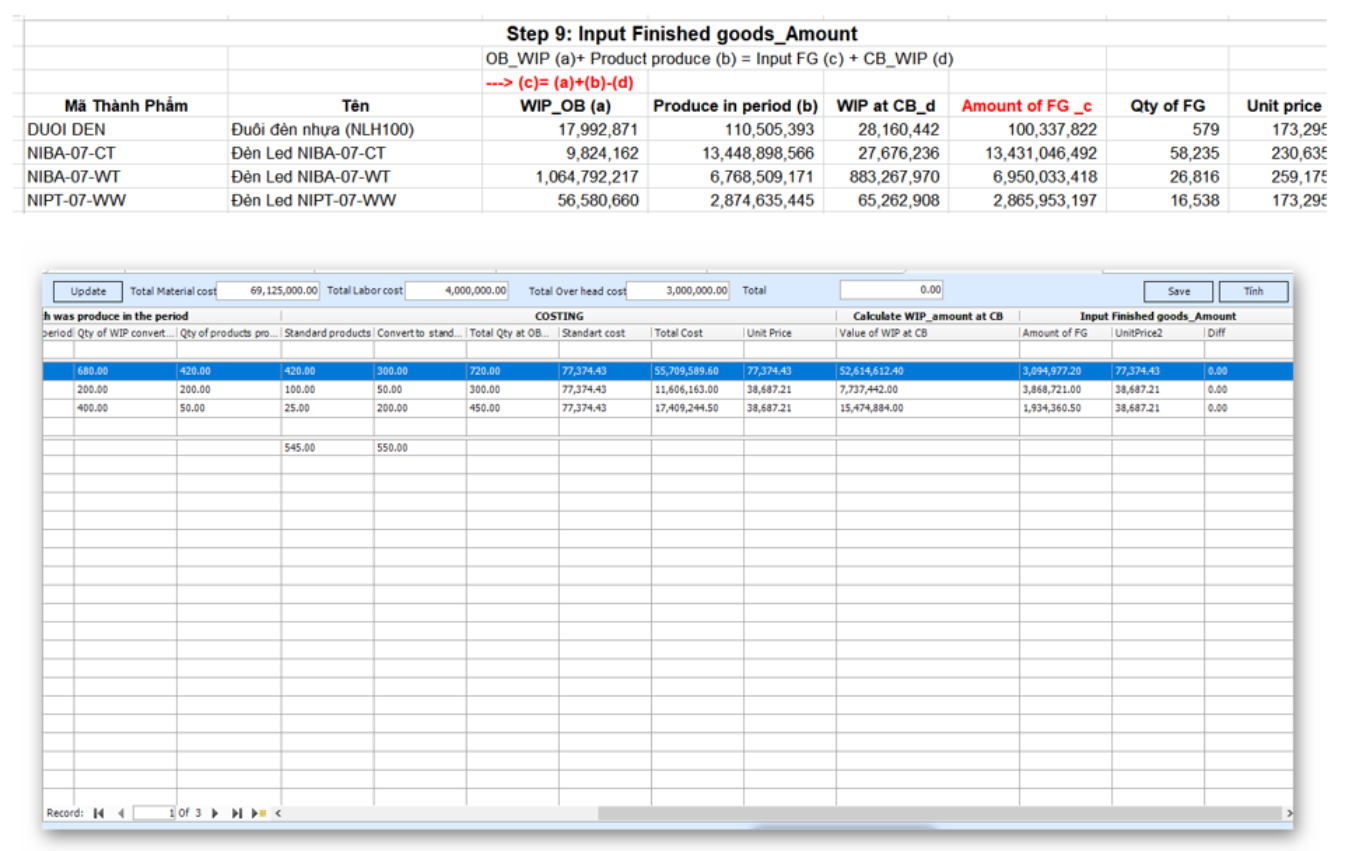
Total expense for each product including working progress opening balance , expense in period.\
Expense in period including: Expense identification , Expense allocate by raw material , Product Amount from Step 4.
Costing product = Total expense / Total quantity in period.
ProductID
Qty: Quantity finish goods from step 1.1
BeginAmt: Working progress opening balance get from last period.
Amt621\_ide, Amt622\_ide, Amt627\_ide: Expense identification in period by group 621,622,627. Get from step 2 for Costcenter have CostMethodID =1
Amt621, Amt622, Amt627: Expense in period get from step 4 for each group 621,622,627 and Expense allocate by raw material.
TotAmt: = BeginAmt (Summary expense working progress opening balance) + Amt621\_ide + Amt622\_ide + Amt627\_ide + Amt621 + Amt622 + Amt627
UnitPrice: Costing of product = TotAmt / Qty
EndAmt: Working progress closing balance = UnitPrice \* working progress quantity
After click Save:
Costing after caculate in Unitprice column will be update into all Finish Goods receipt entry.
Working progress closing balance will be update into working progress table.
### Step 6: Calculate price out by average method for cost of goods sold or price out on next phased.
ProductID:
ItemName: Product name
BegbalanceQty: quantity opening balance
BegBalanceAmt: Amount opening balance
InputQty: Quantity input in period
InputAmt: Amount input in period
PriceOut:
Need update expense in step 2 before calculate costing for next phased.